DTF software for transfer and apparel shops From the customer’s design to the pressed shirt, alongside your RIP.

Jifup is DTF software for transfer and apparel shops that works next to your RIP. Customers design on a tee or hoodie with a live preview. Jifup checks the file, builds the DTF sheet and tracks the order to the shipping label.

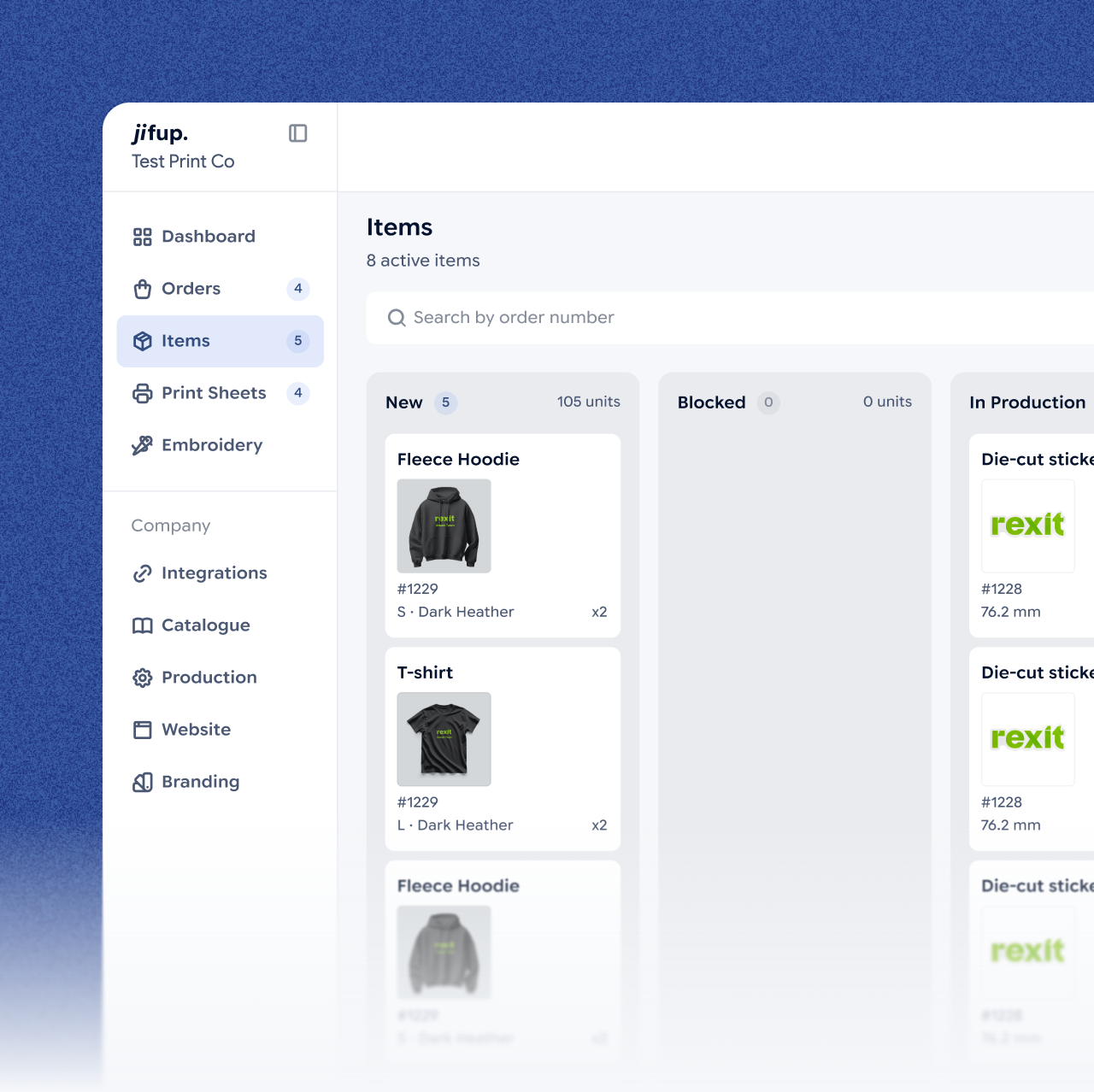
The Items board of the Jifup console: hoodies and T-shirts of order #1229 among the new items

DTF transfers

DTF software that works next to your RIP.

Jifup builds a DTF sheet for every order, and you print it through your own RIP software. Jifup is not a RIP. It handles the order, the artwork and the production steps around the print.

Artwork checked against your DPI limit

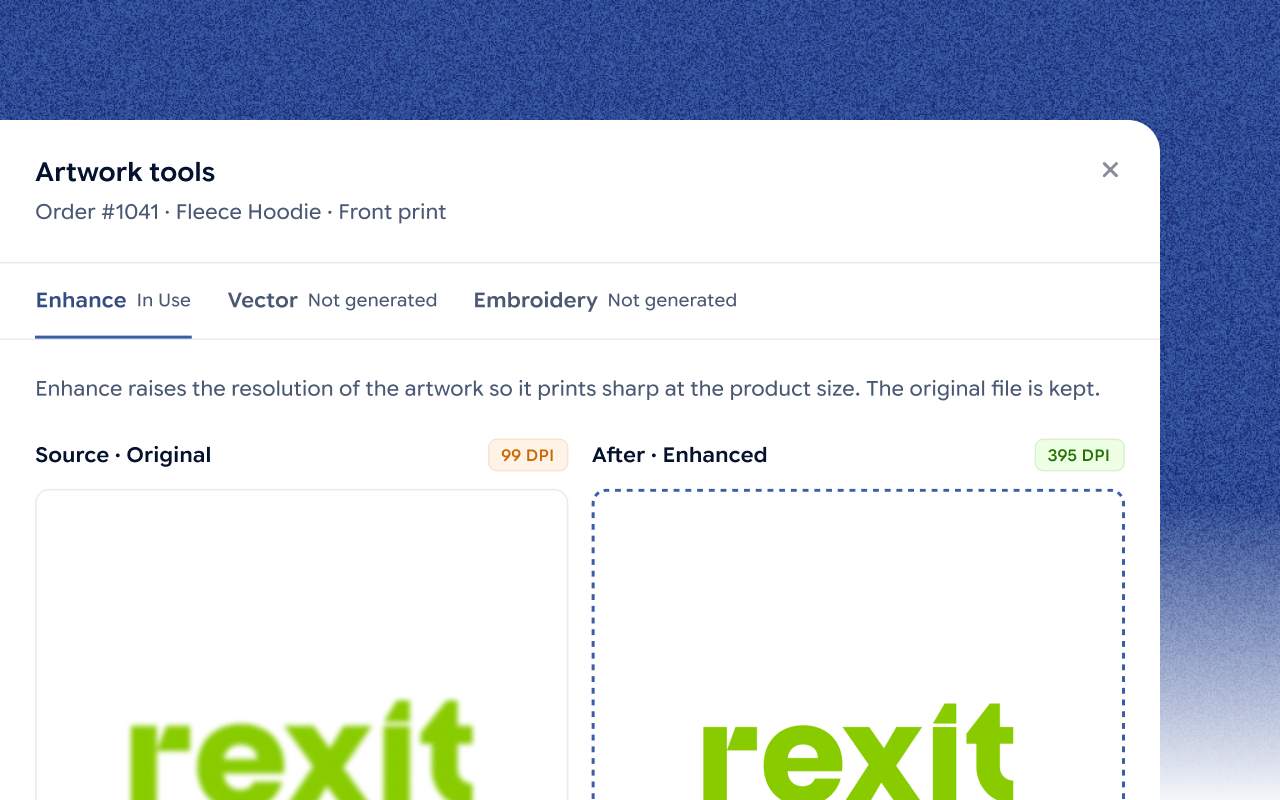
See the artwork on the garment and upscale a low-res file in one click. Jifup shows the DPI before and after.

One board for every channel

Orders from Etsy and one more platform land on one board with their artwork, size and color attached.

DTF gang sheet builder

Build a gang sheet in the Jifup gang sheet builder and export a print-ready sheet.

DTF sheets built for you

Jifup places each design on a DTF sheet with the sheet size and gaps you set once.

DTF sheet details

DetailIn Jifup
Artwork checkEvery design checked against your DPI limit, with one-click upscale
Sheet layoutDesigns placed with the sheet size and gaps you set once
Gang sheetsBuilt in the Jifup gang sheet builder and exported print-ready
PrintingThrough your own RIP software and printer. Jifup is not a RIP.
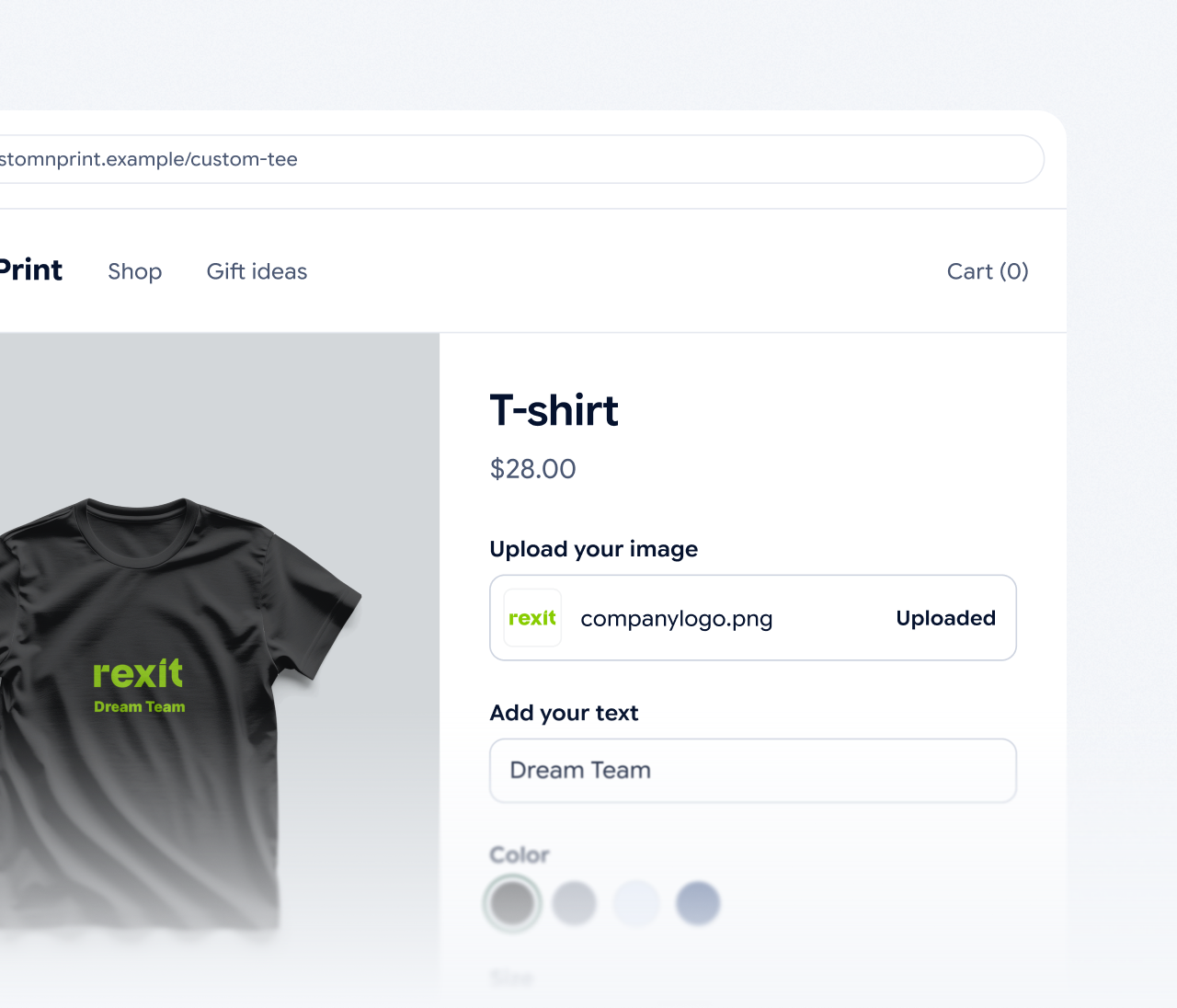
A store page of a custom T-shirt: the customer’s logo is uploaded, the text “Dream Team” added and a color being picked

Apparel

A custom T-shirt design tool on your own store.

Your customers design the product themselves and see the finished result before they pay. They upload a photo, add text, pick a color and size, and place the design on the front or back. This T-shirt design software runs on your own site, Shopify, Wix, WooCommerce, Etsy or a showroom tablet. Tees, hoodies, caps and socks, each with front and back print areas.

Production

Print, press, pack. Every order has a status.

Each apparel order moves through five steps in Jifup, and your team can always see where it is.

Step 01

Customer designs the product

The customer uploads a photo, adds text, picks a color and size and sees the result before paying.

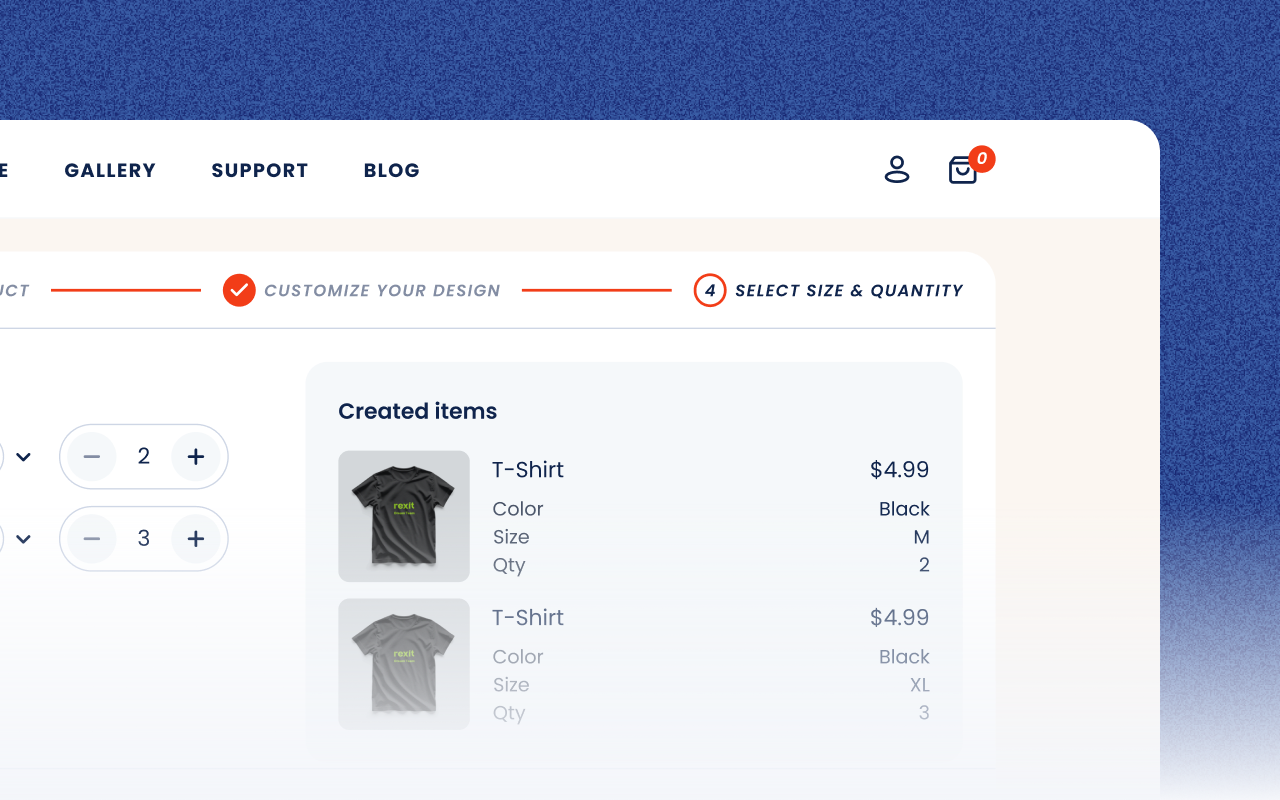
The last step of the product configurator: two custom T-shirts with their color, size and quantity

Step 02

The order lands on one board

The order arrives in the Jifup console with its artwork, size and color attached.

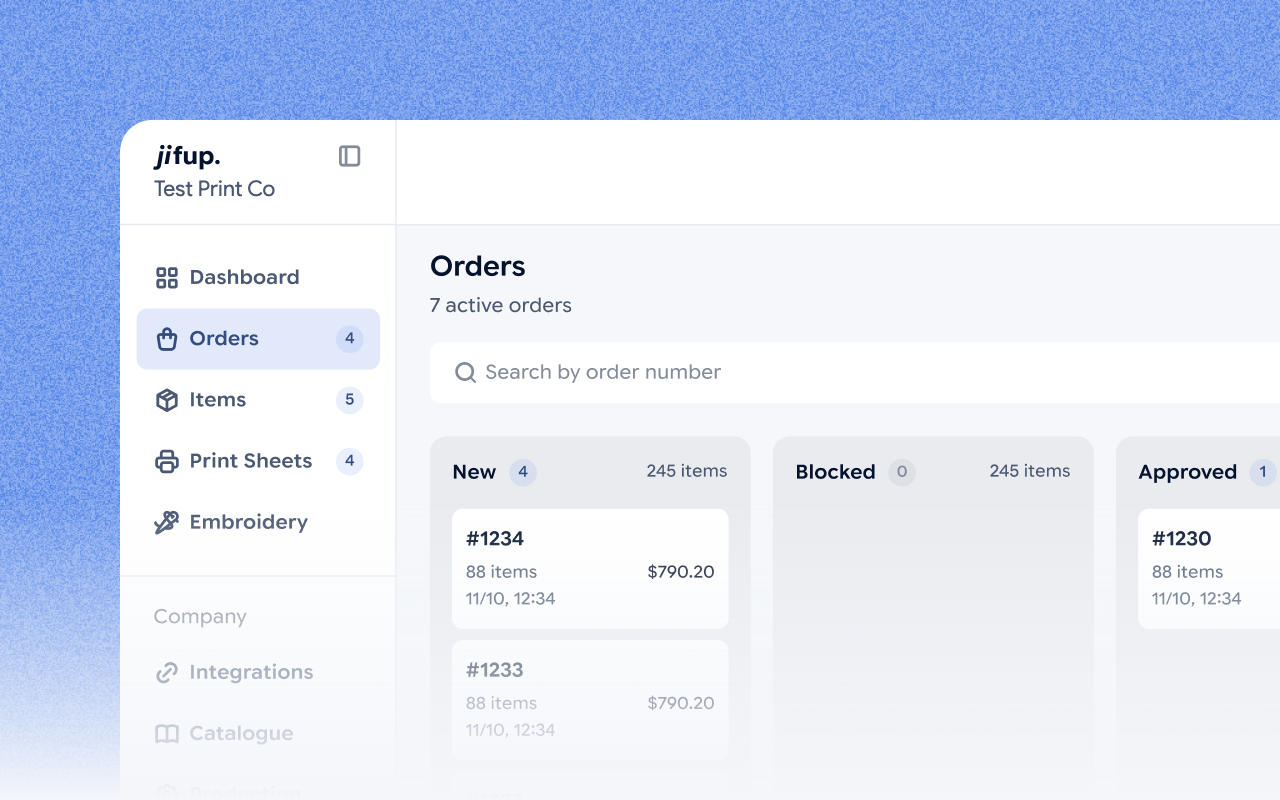
The Orders board of the Jifup console with the new orders #1233 and #1234

Step 03

Approve and check the artwork

A manager approves the order. Open the item, see the artwork on the garment and upscale a low-res file in one click.

Artwork tools of the Jifup console: the original artwork at 99 DPI beside the enhanced one at 395 DPI

Step 04

Jifup builds the DTF sheet

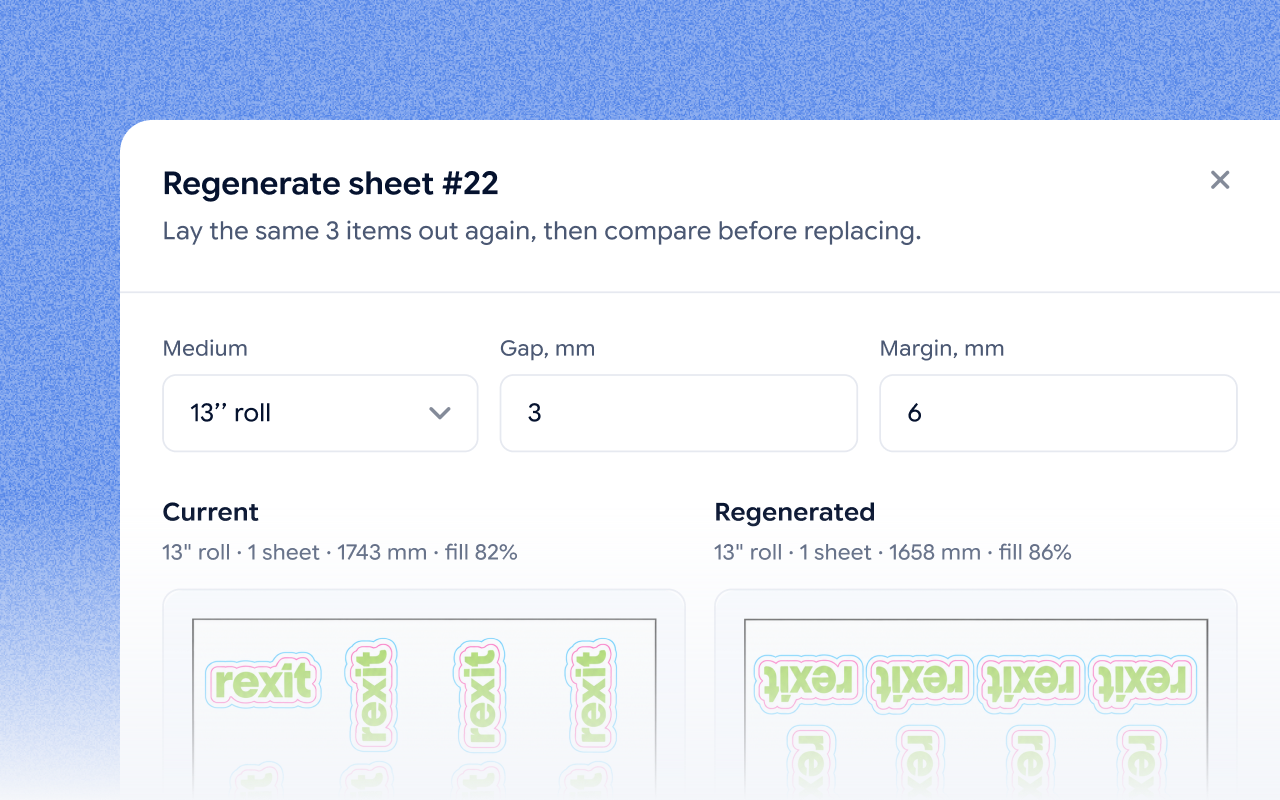
Jifup places the design on a DTF sheet. Download the sheet and print it through your RIP.

Regenerating a DTF sheet in the Jifup console: the current and the new layout on a 13″ roll side by side

Step 05

Press, pack and ship

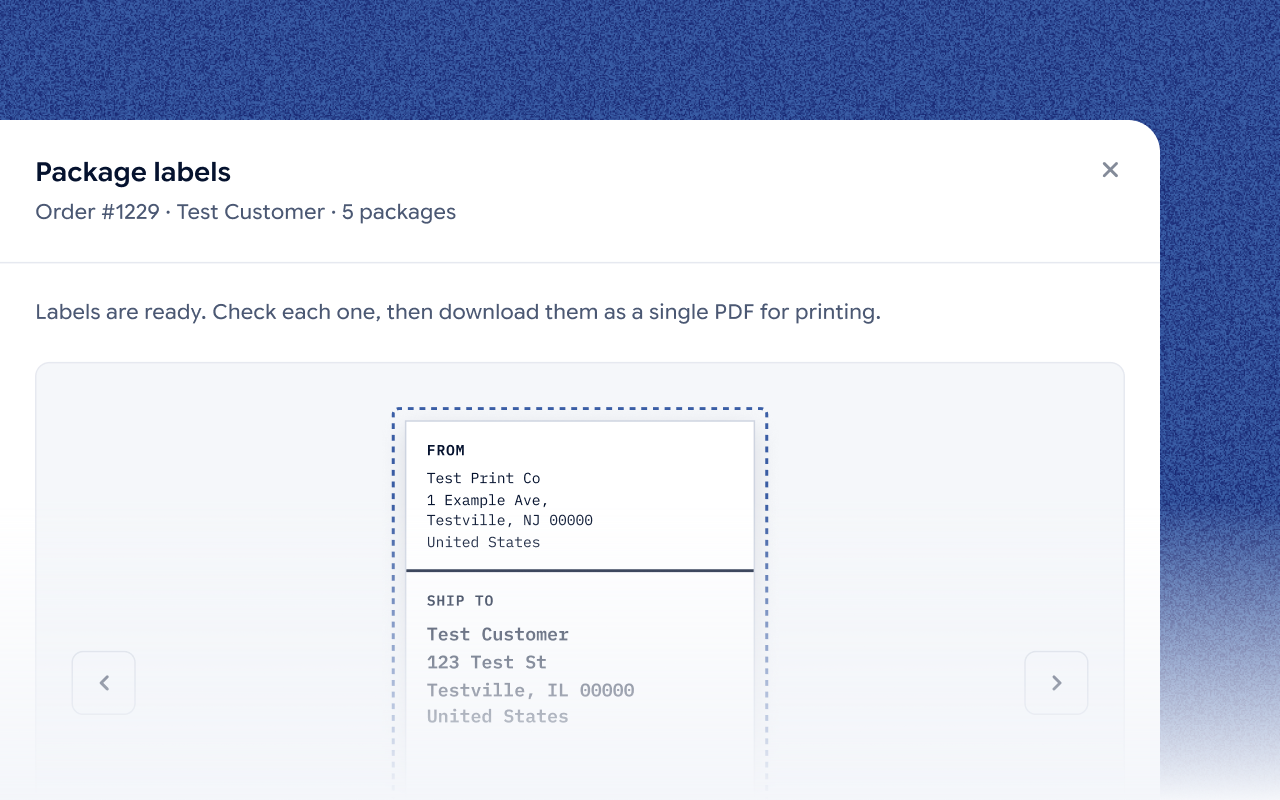
The job moves through print, press, pack and a quality check. Print the barcode shipping label, and the status goes back to the store.

Package labels of order #1229 in the Jifup console: label 1 of 5 with the sender and the test customer’s address

Managers and production staff see only what their role needs. Labels for every package download as one PDF.

See the full order flow

Embroidery

From image to embroidery, with every job in one queue.

Jifup runs embroidery orders in the same console as your DTF and print orders.

Turn artwork into embroidery

The AI artwork tools turn a customer’s artwork into embroidery in one click.

Jobs, threads and stitch counts in one queue

Embroidery jobs run in their own queue, each with its threads and stitch count.

Selling stickers too?See Jifup for sticker shops

Integrations

Works with the channels you already sell on

Etsy plus one more platform: Shopify, Wix, WordPress or your own site. Connect them from the Jifup console.

Customer story

One print shop’s results with Jifup.

“Every Artistickers order is one-of-a-kind: a different photo, a different style, a different product. We used to start the day sorting orders and arranging print files by hand. Now orders arrive checked and grouped, and the team just prints. We get products out the door in a fraction of the time, and we catch bad files before they cost us a print.”

Andrew B.Founder & CEO, Artistickers
reduction in wasted print materials
at Artistickers, Jul–Sep 2026
90%
faster fulfillment from order to printing
at Artistickers, Jul–Sep 2026
3x
Read the Artistickers story

Pricing

Start free with your first DTF and apparel orders.

Start free and pay a small share of each paid custom item, or pay a flat monthly fee and keep more. Every plan includes the production console.

  • Start

    For trying Jifup with your first orders.

    $0/month

    +2.9% per paid custom item

    Includes

    • First 5 custom items each month with no commission
    • “Jifup” badge on your site
    • Your site on a Jifup subdomain
  • Solo

    For a shop that sells on its own domain.

    $39/month

    +1.9% per paid custom item

    Includes

    • Everything in Start, with a lower fee per paid custom item
    • Connect your own domain to your site
    • “Jifup” badge on your site
  • Print Studio

    For shops that want a fully branded flow.

    $199/month

    0% per paid custom item

    Includes

    • Everything in Solo, with no fee per paid custom item
    • The only plan where you can remove the “Jifup” badge
    • Request without payment: the buyer sends the assembled order and you issue the invoice yourself

FAQs

DTF and apparel questions, answered.

No, Jifup is not RIP software, so you still need your RIP. Jifup takes the order, checks the artwork and builds the DTF sheets and gang sheets. You then print those sheets through the RIP software and printer you already use.

Yes. In the Jifup configurator, tees, hoodies, caps and socks have front and back print areas. The customer places the design and sees the finished product before paying.

Yes. The Jifup gang sheet builder runs inside the Jifup platform. Sign up free with Google or email, with no credit card, then build a DTF gang sheet and export a print-ready sheet.

Jifup checks every artwork against the DPI limit you set. If an image is too low, you can upscale it in one click and see the DPI before it goes to print.

Yes. Every job in Jifup moves through the production statuses print, cut, press, pack and quality check, so you can see which orders are at the press.

Yes. The AI artwork tools in Jifup turn a customer’s artwork into embroidery in one click. Embroidery jobs then run in their own queue in the Jifup console, with their threads and stitch counts.

Jifup starts at $0 a month on the Start plan, plus 2.9% per paid custom item, and the first 5 custom items each month carry no commission. Solo costs $39 a month plus 1.9% per paid custom item. Print Studio costs $199 a month with 0% commission.

Put your DTF and apparel production on one screen.

Jifup takes orders from Etsy and one more platform, builds your DTF sheets and tracks every shirt and stitch until it ships.

No credit card.